

Attention Gmail users
Don’t miss out on your Times of Israel Daily Edition!
Haven’t seen our newsletter recently? It’s probably hiding inside Gmail’s new inbox layout. Here’s how to fix that
 Add ToI as a Preferred Source on Google
If you’ve signed up for our Daily Edition newsletter and you’re a Gmail user, you may have recently stopped seeing our emails because of the changes made by the folks at Google.

Don’t worry. Help is at hand.
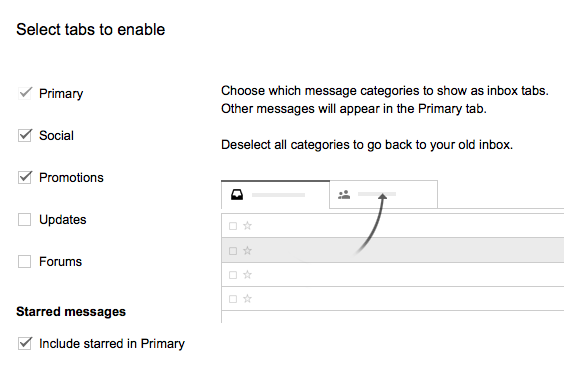
Google recently unveiled its new Gmail Inbox, which is now divided into tabs – and by default these tabs are named “Primary” (for regular messages); “Social” (for notifications from services such as Facebook or Twitter); and “Promotions” (for offers and campaigns).
Unfortunately, it appears Google considers newsletters (from any source) to be a campaign, and therefore the Times of Israel’s Daily Edition is automatically placed under “Promotions” — where you may not see it.
To fix this, you have two options:
1. Cancel the “Promotions” tab
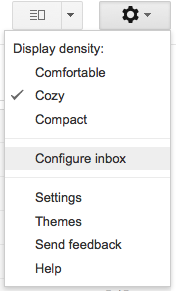
Under the “Settings” icon, go to “Configure Inbox” and deselect “Promotions.” This will eliminate the Promotions tab altogether and restore The Times of Israel’s Daily Edition to your Primary inbox.
2. Drag the Daily Edition to the “Primary” tab
Alternatively, if you wish to keep the “Promotions” tab, simply click on any of The Times of Israel’s newsletters in your Promotions tab and drag it over to the “Primary” tab.

After doing this, a yellow box will pop up at the top, asking you: “Do this for future messages from The Times of Israel?” Click “Yes.”

Hope this helps – but do contact us and let us know if we can help further! And if you haven’t signed up for our free newsletter yet, you can do so here.










read more:
If you’d like to comment, join
The Times of Israel Community.
The Times of Israel Community.
JOIN THE TOI COMMUNITY
Already a member? Log in here